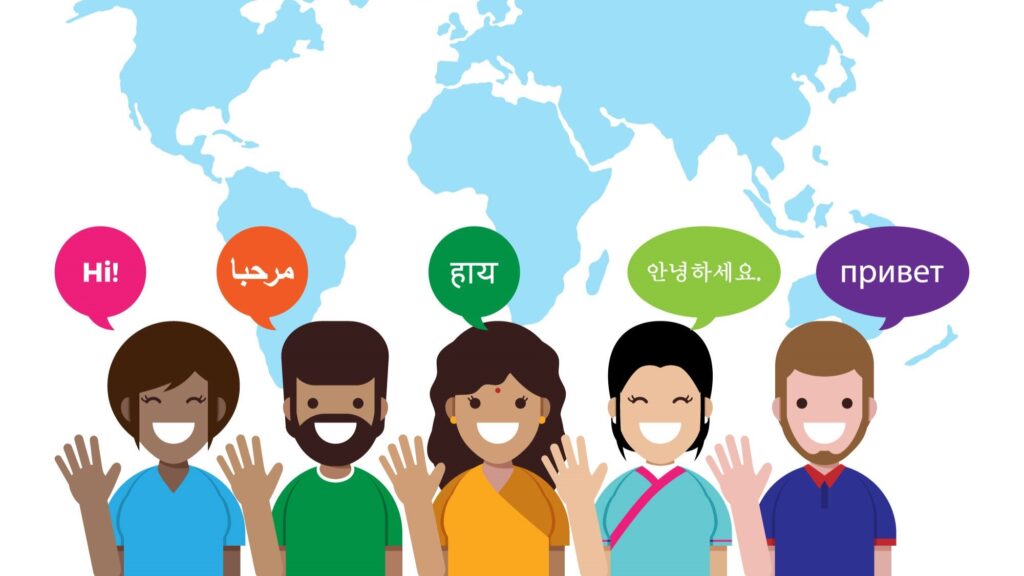


Translation work used to be painfully repetitive sometimes.
A translator would finish one section of a document, move to another page, and suddenly realize the exact same sentence had appeared again. Then came the same product description again. Same warning message. Same software button. Same legal line. Over and over.
For small projects, that’s annoying. For massive multilingual projects, it becomes exhausting very quickly.
That’s one reason CAT tools became such a big deal in the translation industry. And no — CAT here has nothing to do with animals.
A lot of people also assume computer-assisted translation means software translating everything automatically. Not exactly.
The “assisted” part matters more than people think.
What is Computer Assisted Translation
Computer-assisted translation, usually shortened to CAT, refers to software that helps translators work faster and stay consistent across projects.
The software supports the translator. It doesn’t completely replace them.
That distinction matters because CAT tools and machine translation are often treated like the same thing online when they really aren’t.
A CAT tool works more like a workspace.
It remembers old translations, organizes terminology, highlights repeated content, and helps translators avoid fixing the same things repeatedly.
Imagine translating a mobile app where the phrase “Reset Password” appears 120 times. Without a CAT tool, someone may manually type the same translation again and again for no reason.
With CAT software, the system remembers it automatically. That alone saves huge amounts of time.
How Does Computer-Assisted Translation Work?
The process usually starts when content gets uploaded into the CAT tool.
Then the software breaks the text into smaller chunks. Usually sentence by sentence. Some translators actually prefer working this way because giant blocks of text become difficult to track after a while.
Now here’s where CAT tools become useful.
If the same sentence already appeared somewhere earlier in the project, the software immediately suggests the previous translation. Translators can:
- Reuse it
- Edit it slightly
- Ignore it completely
That stored database is called Translation Memory.
And honestly, translation memory saves ridiculous amounts of repetitive effort in long projects. CAT tools also flag small issues automatically:
- Missing words
- Inconsistent terminology
- Spelling mistakes
- Formatting problems
Computer-Assisted Translation Examples
Most people probably interact with CAT-based translation work regularly without realizing it.
Software companies use CAT tools constantly while localizing apps and dashboards into multiple languages.
Streaming platforms use them too. Especially for subtitles and repeated interface terms.
Even eCommerce websites rely heavily on CAT workflows because product descriptions, shipping messages, and buttons repeat constantly across pages.
Think about online shopping websites for a second.
“Add to Cart.”
“Out of Stock.”
“Proceed to Checkout.”
Imagine manually retranslating those thousands of times across multiple languages. Nobody wants that.
Large technical manuals are another example. Product instructions repeat terminology constantly, so consistency becomes extremely important there.
One wrong variation and users start getting confused.
Computer Assisted Translation Features
Different CAT tools work differently, but certain features appear almost everywhere.
1. Translation Memory (TM)
This is probably the most important feature. Translation Memory stores previously translated sentences and suggests them again when similar content appears later.
Sometimes translators joke that TM remembers things better than humans do.
2. Terminology Management
Terminology management keeps wording consistent across projects. This matters heavily in industries like:
- Medical translation
- Legal translation
- Technical documentation
A company may require one exact translation for a product term everywhere. Without terminology control, projects become messy fast.
3. Segmented Texts
CAT tools split content into segments instead of showing huge paragraphs.
Some people love this. Some translators hate it initially. But after working on long projects, segmented workflows usually become easier to manage.
Especially during review.
4. Quality Assurance (QA) Tools
QA tools automatically catch small issues like:
- Missing numbers
- Untranslated sections
- Spelling mistakes
- Formatting inconsistencies
And after staring at the same document for six hours straight, these checks become very useful. Human eyes miss things eventually.
5. Collaboration Tools
Large projects often involve multiple translators. Collaboration tools help teams share:
- Terminology
- Updates
- Comments
- Revision history
Without shared systems, consistency falls apart surprisingly fast. Especially in multilingual enterprise projects.
6. File Compatibility
Modern CAT tools support all kinds of formats:
- Word files
- Excel sheets
- Subtitles
- HTML
- XML
- Software strings
Translation projects rarely arrive neatly packaged anymore. Sometimes, files are complete chaos.
7. Integrated Machine Translation (MT)
Some CAT tools include machine translation suggestions directly inside the workflow. But raw machine output still needs review. A lot of reviews sometimes. Especially for:
- Humor
- Emotional dialogue
- Marketing content
- Conversational writing
Machine translation still struggles badly there.
8. Project Management Features
Some CAT platforms also help manage deadlines, assignments, and project tracking. This becomes important once projects involve:
- Multiple translators
- Several languages
- Constant updates
Otherwise, coordination gets messy very quickly.
9. Localization Support
Localization goes beyond translation.
Dates, currencies, measurements, cultural phrasing — all of that changes depending on the target region.
CAT tools help organize these adjustments more efficiently.
10. Customizable Interface and Settings
Most translators personalize their workspace eventually.
Shortcuts, layouts, color settings, filters — small adjustments like these save more time than people expect over long projects.
Types of Computer-Assisted Translation Tools
Some CAT tools work offline as desktop software. Others are cloud-based.
A few well-known examples include:
- SDL Trados
- MemoQ
- Smartcat
- Wordfast
- Memsource
And translators often become weirdly loyal to whichever system they learned first.
People argue about CAT tools almost like designers argue about Photoshop versus Illustrator sometimes.
Uses of Computer-Assisted Translation in Business Localization
Businesses mainly use CAT tools because consistency matters a lot in multilingual communication.
Imagine an international company translating the same product feature differently across:
- Websites
- Apps
- Packaging
- Support documents
- Manuals
Customers notice that kind of inconsistency surprisingly fast.
CAT workflows help avoid it. They’re heavily used in:
- Gaming localization
- Software translation
- Multilingual websites
- Technical manuals
- eLearning content
- Legal documentation
Large companies especially depend on them because projects keep evolving constantly. One small software update may trigger translation updates across 12 languages immediately.
Computer-Assisted Translation Tools vs Machine Translation
People mix these up constantly online.
Machine translation tries to generate translations automatically. CAT tools help humans translate more efficiently.
That’s the difference.
Google Translate is machine translation. A CAT tool is more like a translator’s workspace — organized, searchable, collaborative.
Some CAT tools connect with machine translation engines now, but human translators still review the output because machine-generated text can become awkward very quickly. Especially in creative content. Or humor. Or emotionally sensitive content.
In fact, almost anything that is conversational.
Challenges and Limitations of CAT Tools
CAT tools help a lot, but they’re not magical either.
Sometimes translation memory becomes too repetitive. Translators may accidentally reuse old phrasing even when the newer context needs something different.
Learning the software also takes time.
Some CAT platforms feel overwhelming initially. Too many panels. Too many settings. Too many buttons everywhere.
Software still cannot fully understand context the way experienced human translators do.
A sentence may technically match an earlier translation while still sounding wrong emotionally in a new situation.
Computer-Assisted Translation Course: Who Should Learn CAT?
Anyone planning to work seriously in translation or localization should probably learn CAT tools at some point. That includes:
- Freelance translators
- Localization specialists
- Multilingual content teams
- Language students
- Translation agencies
Even beginners benefit from learning CAT workflows early because most professional translation environments already use them heavily.
And once translators become comfortable with CAT tools, going back to fully manual workflows feels painfully slow.
How VerboLabs Uses CAT Tools for Translation Quality
At VerboLabs, CAT tools are used mainly to improve consistency across multilingual projects.
The workflow combines:
- Translation memory
- Terminology databases
- Human review
- Localization support
- QA checks
That combination helps maintain stable terminology across websites, subtitles, technical documents, and multilingual business content.
But human translators still remain central to the process. Because software can organize language.
It still cannot fully understand people.
Conclusion
Computer-assisted translation changed translation workflows mainly by reducing repetitive work. That’s really the biggest shift.
CAT tools help translators stay faster, more organized, and more consistent across large multilingual projects. Especially projects where the same terminology appears repeatedly.
But the tools themselves are only support systems.
Human translators still handle tone, context, cultural understanding, emotional flow — all the parts that software continues struggling with.
FAQs
Do CAT tools replace human translators?
No. CAT tools help translators work faster and stay consistent, but human translators still handle context, tone, cultural meaning, and final editing. A CAT tool can suggest previous translations. It cannot fully understand emotion or intent the way people do.
What is translation memory in a CAT tool?
Translation Memory, usually called TM, stores previously translated sentences inside the software. When similar text appears later, the CAT tool suggests the earlier translation again instead of making the translator type everything repeatedly.
What does a CAT tool actually do?
A CAT tool helps translators organize and manage translation work more efficiently. It breaks content into segments, stores earlier translations, checks terminology consistency, flags mistakes, and supports multilingual collaboration.
How is CAT different from machine translation?
Machine translation tries to generate translations automatically. CAT tools don’t work that way. They assist human translators instead of replacing them. The translator still reviews, edits, and controls the final output.
What features should I look for in a CAT tool?
Most translators usually look for features like translation memory, terminology management, QA checks, collaboration tools, file compatibility and localization support.

Ready to streamline your translation process? Explore top CAT tools today and revolutionize your workflow! Contact us for expert guidance on selecting the right tool for your needs.