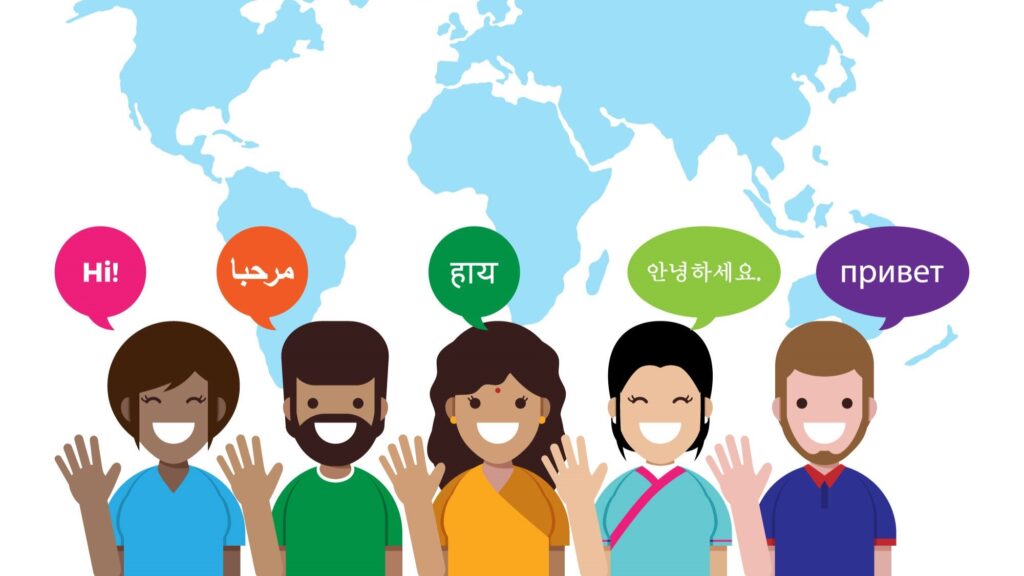

Audio-visual media have become an important part of communication, especially with the onset of social media and smartphones. In today’s times, almost everyone has access to video content. And this makes an important reason for businesses to give video content its due advantage.
But does video content work for everyone? How about people who do not understand the video language, or are hard of hearing? They can surely access the video part of the content, but what about the audio?
That’s when captions can help audiences engage with the video without missing any part.
Captions are the narrative you see on the screen when you are watching a video. They are the text version of the audio of the video.
There are different types of captions attached to a video. Some are embedded directly into the video during the creation process – open captions, while others are attached as a separate feature and can be turned on and off by the viewer – closed captions.
If you’re creating video content, it is always helpful to understand which option is more suitable for your audience. But, before diving into choosing the caption type, let us first learn about each of them in a little detail.
What Are Open Captions?
Open captions are captions that are permanently added to a video. They appear automatically whenever the video is played. There is no option for the viewer to hide them from the video. They are there whether you want them or not.
They are commonly used on social media, and are the reason you can watch a video when it is not possible to keep the sound ON.
How Open Captions Work (Burn-In Process)
Open captions are added in the video right during the making process. They are sort of burned with the video, and therefore, the process of adding this type is called the burn-in process. There is no other major difference between the two besides the way they are created.
Key Characteristics of Open Captions
- They are always visible.
- The captions cannot be turned on or off.
- They are embedded directly into the video.
- They are consistent (look the same) across devices.
- Open captions are commonly used on social media platforms.
What Are Closed Captions?
If you come across a video that gives you an option to disable or hide the captions, that is a closed caption video. They are not permanently visible and can be enabled when needed.
They are mainly used on streaming platforms like Netflix, YouTube, or Prime Video.
How Closed Captions Work (Separate Track)
Closed captions are created in a separate file, which is synced with the video to match the video and caption timing. The disable or hide option (CC) on the video player gives the choice to run the file with the video, thereby making them visible or hidden.
Key Characteristics of Closed Captions
- Closed captions are an optional video element.
- They can be turned on or off.
- Closed captions are stored separately from the video file.
- These captions support multiple languages.
- They are mainly used for online learning.
- Closed captions can be edited and updated.
Open Captions vs Closed Captions: What’s the Difference?
Fundamentally, open captions and closed captions work for a similar purpose – both help viewers to understand the video content. But the difference lies in how they are added in the video and how it changes its features.
Open captions are permanently embedded into the video, so everyone sees them automatically. On the other hand, closed captions are optional elements and can be turned ON or OFF by the viewer as per their choice.
Flexibility is another element that sets both types of caption apart. Since closed captions are created separately, stored separately, they can therefore be edited, updated, or recreated in different languages. Same video, different captions in different languages.
Conversely, open captions are created and burned (embedded) into the video right at the time of making, and so no change is possible once the video creation process is finished.
Benefits of Open Captions
Due to the way they are created, open captions provide some benefits over closed captions:
- Viewers do not have to figure out the ways to enable or disable them.
- The editor gets the choice of deciding where the captions will be displayed.
- Can be added to the video played on the platforms that do not support a closed captions file.
Benefits of Closed Captions
As open captions provide advantages over closed captions, in the same way, closed captions have their advantages over open captions.
- Closed captions give viewers the choice to see or not to see the caption text on screen.
- Multiple language options can be added to reach a bigger demographic.
- These captions can be edited or updated easily.
- They help with SEO ranking.
When to Use Open Captions
Considering the benefits, open captions are a good choice when it is important to show on-screen text. They can be used for the following video content:
- Social media videos
- Digital signage
- Event displays
- Advertising screens
- Videos played in public spaces
When to Use Closed Captions
Closed captions are a good choice when you want to give viewers an option to disable or hide the captions:
- Streaming platforms like Netflix, YouTube
- Educational content or online courses
- Corporate training videos
- Long-form video content
Open Caption Styles and Formatting Options
Since open captions are added to the video and cannot be edited later. Therefore, it is important to ensure that they are properly styled, formatted, and well-placed for unobstructed viewing and clear readability.
Moreover, these captions do more than just display the text. They become another visual element in the video, and therefore their aesthetics equally matter.
Some of the standard ways in which captions can be added to the video are as follows:
- Standout Layout: In this, the text appears inside a box, which can have a solid or semi-transparent background for better visibility.
- Bottom Bar: In this style, there is a bar at the bottom of the video where captions are displayed. This style of caption placement is generally used in movies and documentaries.
- Floating Captions: This is a creative way of displaying captions in which the text appears directly on the video with an outline or shadow to keep it readable.
Besides, there are some more points that need to be considered when embedding open captions into a video.
- The type and size of font should be clearly visible and readable.
- It is recommended to use normal sentence case, font, and avoid ALL CAPS.
- Font size and style should be uniform throughout the video.
- Captions should be placed clearly on the screen for viewers to find them easily.
- Avoid excessive animation or adding unnecessary motion in the caption.
- Provide sufficient time to viewers to read the captions properly.
Live Captions: A Special Use Case
Other than the regular open and closed captions, one more type of captions which are used wide are live captions. As the name suggests, these captions are mainly used for live video and are generated in real time when the person is speaking. They are primarily used for live events like webinars, online classes, virtual meetings, conferences, and livestreams.
Live captions are created using speech recognition technology and human professionals. Since they are created and displayed in real time, there is almost no review process, and therefore Although may not always be as accurate as pre-recorded captions. However, the advancements in AI technology are making it a reliable option in many scenarios.
How to Create Open and Closed Captions
The caption creation process generally follows three key steps.
Step 1: Transcription (Audio to Text)
In the first step, the spoken audio is converted into written text.
Step 2: Synchronization (Text + Media Timing)
Once the transcript is ready, the caption is synced with the respective audio timing.
Step 3: Publishing (Upload vs. Burn-In)
The third and last step in the process depends on the caption type. For open captions, the captions are embedded into the video. For closed captions, the caption file is uploaded separately.
These steps efficiently complete the caption creation process.
Accessibility Standards & Legal Requirements for Captioning
Captions are not just a helpful feature on video content. Many times, they are also a legal and accessibility requirement.
- In many countries, there are laws that require videos to include captions in specific types of content, like videos shared by schools, government bodies, and public organizations.
- The accessibility aspect of captioning in video content helps people with hearing problems, those who are learning a language, or those who watch video without sound.
The Cultural Shift: Why Captions Are Going Mainstream
What might have started as an additional feature in video content has now become a fundamental requirement. With the increased use of mobile devices and owing to the convenience of consuming video content, captions have become an important part of the video creation process.
There are many reasons why people use captions:
- Quiet environments
- Noisy environments
- Better comprehension
- Learning new languages
- Watching videos without sound
Conclusion
Captions undoubtedly help the audience understand the video content easily. With open captions, it is easy to engage in a certain type of video content, and with closed captions, the flexibility is the main benefit to have them as and when required.
Ultimately, the choice between the two depends on the video type, the platform on which the video is published, and the target audience.
FAQs
Which is better, open captions or closed captions?
Both work for different scenarios. Open captions are useful when you want everyone to see the captions automatically, while closed captions are better when viewers have the option to turn captions on or off.
Are closed captions required by law?
In many countries, certain types of video content must include captions to meet accessibility requirements. This is mainly for educational content, government communications, and television broadcasts.
What are open captions also called?
Open captions are also known as “burned-in captions,” “hardcoded captions,” or “embedded captions.”
Can you convert closed captions to open captions?
Yes, a closed caption file can be added to a video during editing, converting it into open captions.
What is the difference between captions and subtitles?
Captions include spoken dialogue and important sound effects. Subtitles usually contain only speech, translated or transcribed.
Do open captions help on social media?
Open captions improve engagement with the audience who watches videos without sound.
Can open captions be turned off?
No. Open captions are part of the video image and cannot be turned off.
Why would someone want to use closed captions as opposed to open captions?
Closed captions provide control for the viewer, provide multiple languages, and are easy to update the caption files without editing the original video.

Prithvi Jain
Founder & CEO of VerboLabs, Localization and Multilingual Content Expert
Prithvi Jain is the Founder & CEO of VerboLabs, a language and localization company built to help businesses expand into the U.S. and other global markets. Since founding VerboLabs in India in 2017, she has grown it into an ISO 9001:2015 and ISO 17100:2015 certified provider. Today, VerboLabs supports U.S. enterprises across finance, SaaS, eLearning, and e-commerce with translation, dubbing, subtitling, and content localization in 120+ languages.